SPF vs DKIM vs DMARC: What Each One Does and How They Work Together
The three questions
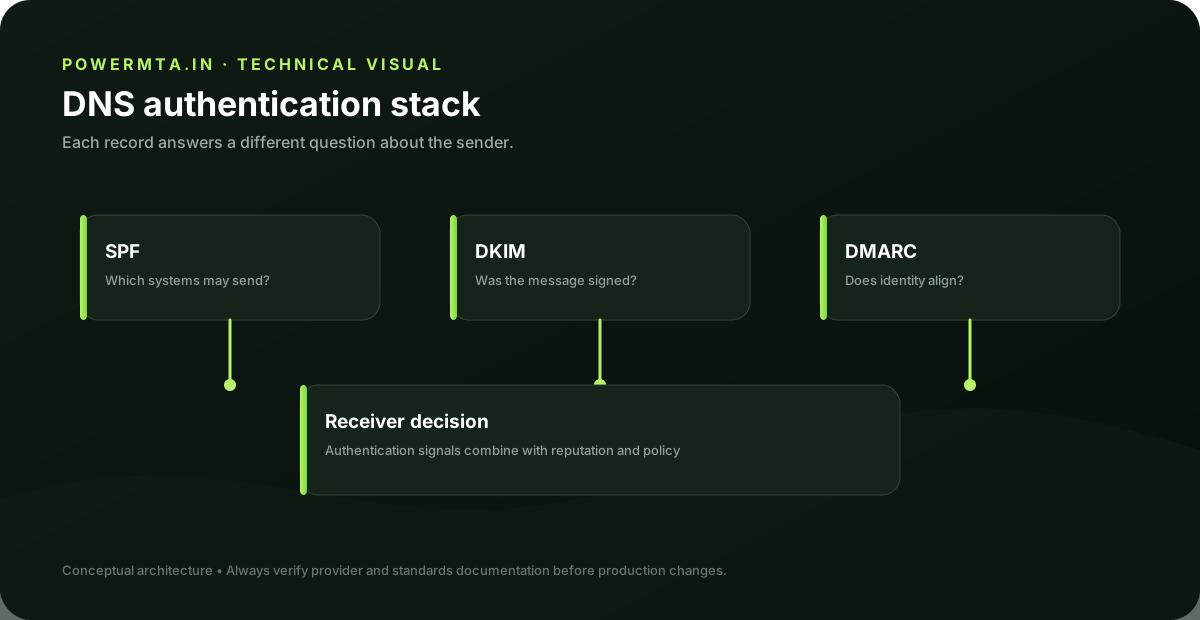
SPF, DKIM and DMARC answer different questions. SPF asks whether a sending IP is authorized by the domain's SPF policy. DKIM allows a domain to attach a cryptographic signature that a recipient can verify. DMARC uses authentication results and domain alignment to apply a policy and report on messages claiming to use the domain. Thinking in questions helps prevent configuration mistakes. SPF is primarily about the sending host, DKIM is about a signed message identity, and DMARC connects authentication to the visible From domain through alignment.
SPF
SPF is published as a DNS policy that identifies authorized sending hosts or mechanisms. A receiving system can compare the connecting IP with the domain's SPF policy. SPF is useful, but forwarding and other message-routing scenarios mean SPF results can change as a message travels. Keep SPF intentionally narrow. Include only services that actually send mail for the domain, and periodically review third-party services that were added during earlier projects but are no longer used.
DKIM
DKIM adds a signature to selected message headers and can include body integrity information. The public key is published in DNS under a selector, allowing the receiving system to verify the signature. DKIM is particularly useful because the signature can survive some forms of forwarding that would change the original connecting IP. Good key management still matters: protect private keys, rotate them according to your operational policy and remove obsolete selectors when safe.
DMARC and alignment
DMARC evaluates whether the domain visible in the From header is aligned with an authenticated SPF or DKIM domain. It also lets a domain publish a policy for messages that fail the required checks and can provide aggregate or forensic reporting depending on configuration. A DMARC rollout should start with visibility. Identify legitimate senders, verify their authentication and alignment, and only then consider increasing enforcement. A policy change without an inventory of legitimate senders can create avoidable delivery problems.
How the pieces fit
A well-designed system can pass SPF and DKIM while DMARC uses one of those aligned results to authenticate the visible From domain. It is not necessary for every message to pass every mechanism for DMARC to pass, but having both SPF and DKIM correctly configured provides useful redundancy. The practical workflow is to inventory senders, configure SPF and DKIM, verify alignment, monitor DMARC reports and then tighten policy deliberately.
Troubleshooting order
When authentication fails, start with the message's Authentication-Results and identify the exact domain being evaluated. Then inspect SPF DNS, the DKIM selector and signature result, and finally DMARC alignment. Avoid changing all three records simultaneously because that makes it difficult to identify which change solved the problem. Keep a record of every legitimate sending platform. Authentication works best as an inventory discipline rather than as a one-time DNS exercise.
Practical checklist
- Record the exact hostname, domain, IP address or SMTP response involved in the issue.
- Change one variable at a time and keep a short change log.
- Verify the result with a real test message and inspect the relevant DNS or SMTP evidence.
- Document the final configuration so the next migration or incident starts with known-good information.
Frequently asked questions
Is there one setting that guarantees successful delivery?
No. Email delivery depends on the complete sending path, including infrastructure, authentication, recipient policy, message handling and operational practices.
Should I change several settings at once when troubleshooting?
Usually no. Controlled changes make it easier to identify the cause and confirm whether the fix actually worked.