Email Marketing
What Is DMARC?
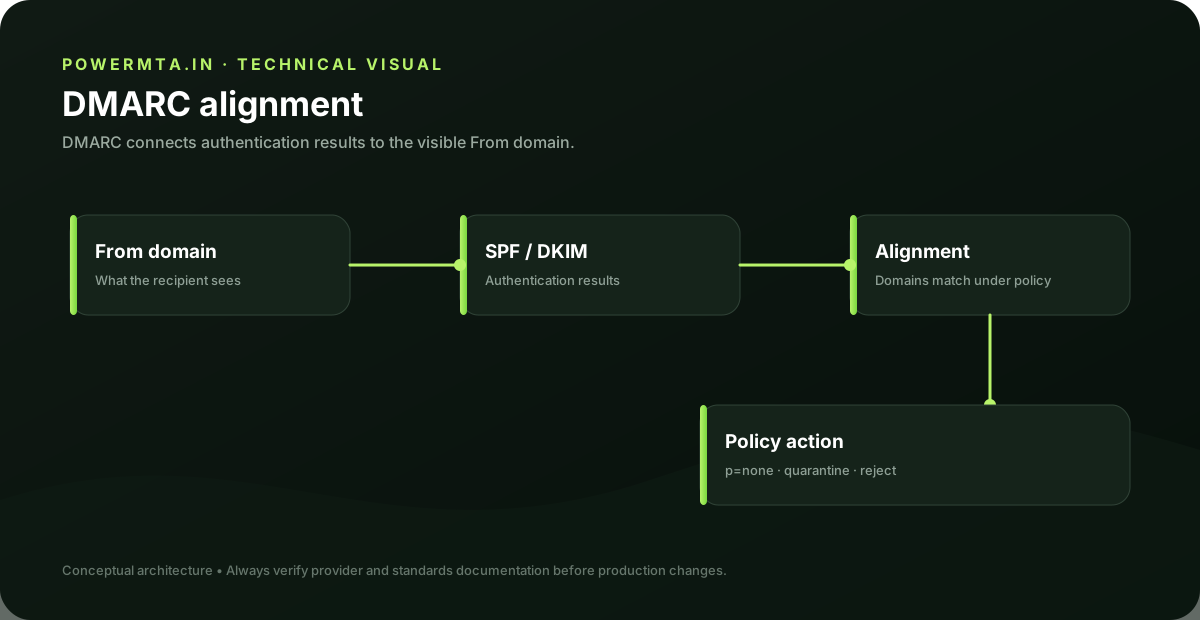
What this guide covers
- How SPF and DKIM feed DMARC
- The difference between policy and alignment
- How aggregate reports can guide rollout
- A practical path from monitoring to enforcement
The Simple Definition
DMARC (Domain-based Message Authentication, Reporting and Conformance) is a policy layer that sits on top of SPF and DKIM. It does two things: tells receiving mail servers what action to take when a message fails SPF or DKIM checks, and sends you reports showing exactly who is sending email using your domain — including anyone spoofing it.
Why DMARC Is Necessary on Top of SPF and DKIM
SPF and DKIM alone don't tell a receiving server what to actually do with mail that fails their checks — that decision is left entirely up to the receiving provider's own judgment. DMARC removes that ambiguity by letting you, the domain owner, explicitly set the policy.
The Three DMARC Policies
DMARC Policy Levels
The recommended path is to start at p=none, review your reports for a few weeks to confirm all your legitimate mail sources pass, then move to p=quarantine and eventually p=reject once you're confident nothing legitimate will be blocked.
Why Enforcement Matters Beyond Deliverability
A domain sitting at p=none indefinitely gets the reporting benefit but none of the actual protection — anyone can still spoof your domain in phishing emails, since nothing is blocking failed mail. Moving to enforcement (quarantine or reject) is also a hard requirement before you can set up BIMI, which displays your brand logo in supporting inboxes.
Frequently Asked Questions
Start with p=none to monitor without affecting delivery, review your DMARC reports for a few weeks, then move to p=quarantine and eventually p=reject once you've confirmed all legitimate mail sources pass.
You need at least one of them to align with your DMARC record, though having both properly configured gives more reliable protection and is the standard recommended setup.
Yes. BIMI requires DMARC enforced at p=quarantine or p=reject — p=none is not sufficient for BIMI to work.
Quick Summary
- DMARC sets a policy for what happens when SPF or DKIM checks fail
- Start at p=none to monitor, then move to quarantine or reject once confirmed safe
- DMARC reports show you who is sending mail using your domain, including spoofers
- Full enforcement is required before BIMI (your brand logo in the inbox) can work
Sources & references
Primary and authoritative references used when preparing or reviewing this article. Product features, policies and standards can change, so verify current requirements before making production changes.
Runs PowerMTA.in alongside his own email marketing and affiliate operations targeting Indian audiences — hands-on with bulk sending infrastructure, live campaigns, and content properties. Read more →