SMTP TLS Explained: STARTTLS, Implicit TLS and Certificate Troubleshooting
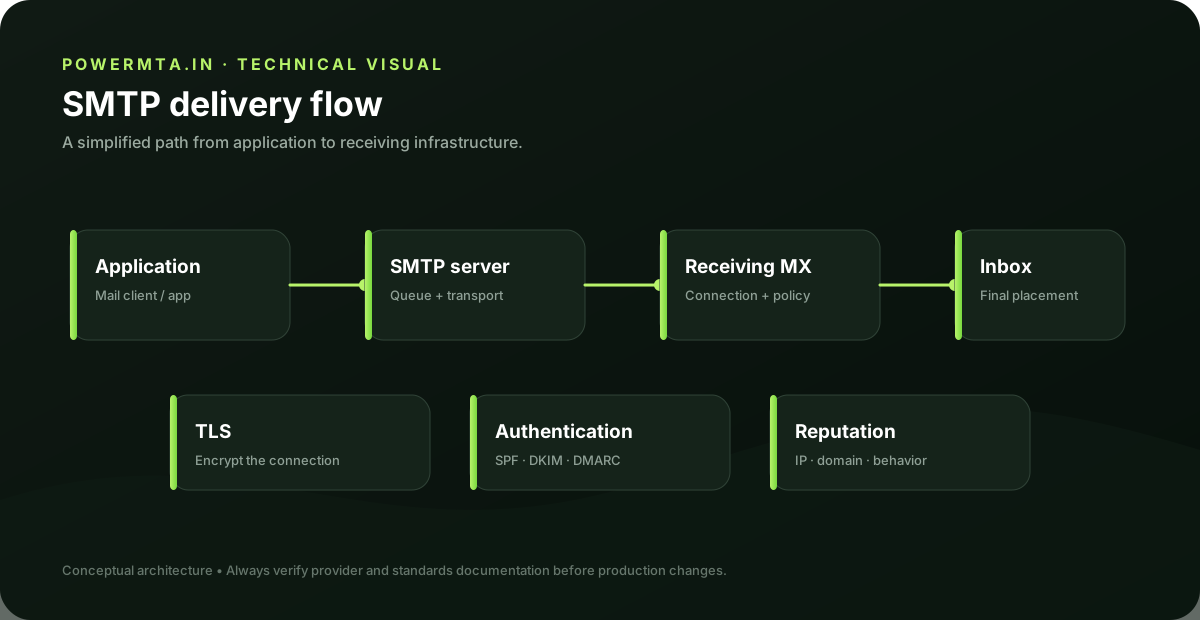
Why SMTP uses TLS
TLS protects the connection between two SMTP endpoints by encrypting traffic after the secure session is established. For submission, TLS also protects credentials and message content while the client communicates with its configured server. TLS is transport security; it does not replace SPF, DKIM or DMARC. A message can travel over an encrypted connection and still fail domain authentication or receiving-server policy.
STARTTLS
STARTTLS begins as a normal SMTP connection and then upgrades the connection after the server advertises the STARTTLS extension. The client and server negotiate TLS before protected SMTP commands continue. A configuration problem occurs when a client expects implicit TLS on an endpoint that expects STARTTLS, or vice versa. Always match the TLS mode to the server's documented service.
Implicit TLS
Implicit TLS establishes the secure connection immediately when the client connects. Port 465 is commonly associated with this submission model. The client should use a TLS-enabled SMTP mode rather than attempting to issue plain SMTP commands first. The exact server configuration still matters, so test the endpoint rather than assuming a port number guarantees a particular implementation.
Certificate checks
A TLS certificate should be valid for the hostname the client uses and should chain to a trusted certificate authority for normal public clients. Certificate errors can arise from hostname mismatches, expired certificates, incomplete chains or clients that do not trust the issuing authority. When troubleshooting, record the exact hostname used by the client. A certificate that is valid for mail.example.com may not be valid for smtp.example.net.
TLS and email delivery
TLS protects a connection but does not guarantee acceptance or inbox placement. Receiving systems can still reject or filter a message based on authentication, reputation, recipient policy or content. Treat TLS as one layer in a broader email security design.
Troubleshooting checklist
Confirm the hostname, port and TLS mode. Inspect the certificate presented by the server, verify the hostname, then test SMTP capability discovery after the secure session is established. If authentication fails after TLS succeeds, move the investigation to credentials and relay policy rather than continuing to change certificate settings.
Practical checklist
- Record the exact hostname, domain, IP address or SMTP response involved in the issue.
- Change one variable at a time and keep a short change log.
- Verify the result with a real test message and inspect the relevant DNS or SMTP evidence.
- Document the final configuration so the next migration or incident starts with known-good information.
Frequently asked questions
Is there one setting that guarantees successful delivery?
No. Email delivery depends on the complete sending path, including infrastructure, authentication, recipient policy, message handling and operational practices.
Should I change several settings at once when troubleshooting?
Usually no. Controlled changes make it easier to identify the cause and confirm whether the fix actually worked.