Email IP Reputation Troubleshooting: A Practical Investigation Guide
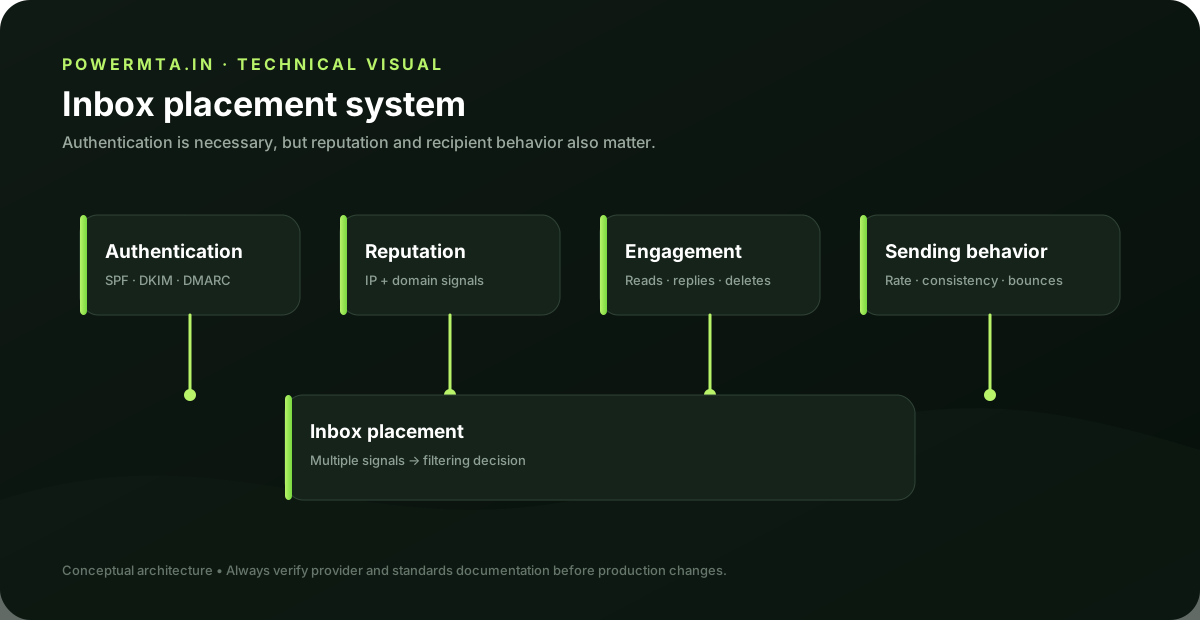
Avoid assuming the IP is the cause
A delivery problem that appears after an IP change does not prove that IP reputation is the cause. The migration may also have changed DNS, authentication, traffic volume, message composition or the sending provider. Start with evidence from multiple destinations. If one provider is affected and others are accepting the same messages, the problem may be destination-specific rather than a general IP failure.
Review traffic patterns
Look for sudden changes in volume, connection concurrency, recipient distribution and message types. A new IP sending a large amount of traffic immediately is operationally different from an established IP with stable volume. Compare the affected period with a known healthy period. The difference often reveals the most useful clue.
Check authentication and DNS
Verify PTR and forward DNS, SPF authorization, DKIM signatures and DMARC alignment. A reputation investigation that ignores authentication can lead to the wrong conclusion. Make sure the IP in the SMTP connection is the IP you think it is. NAT, proxies and relay layers can make the apparent application server different from the final sending host.
Check bounces and complaints
Review permanent and temporary SMTP failures, enhanced status codes and complaint signals where available. Group the results by destination provider and time. High bounce rates caused by invalid recipients should be treated as a list-quality problem, not automatically as an IP-reputation problem.
Recovery approach
If the evidence indicates a sending-quality problem, correct the underlying traffic and list issues first. Avoid repeatedly changing IPs as a substitute for fixing recipient quality or authentication. Make changes gradually and monitor the same metrics that demonstrated the original problem. Recovery is easier to evaluate when the test conditions remain stable.
Operational checklist
Maintain IP ownership records, PTR settings, authentication configuration, traffic history and destination-level delivery statistics. When an IP problem occurs, you should be able to reconstruct what the address sent, when it changed and what receiving systems reported.
Practical checklist
- Record the exact hostname, domain, IP address or SMTP response involved in the issue.
- Change one variable at a time and keep a short change log.
- Verify the result with a real test message and inspect the relevant DNS or SMTP evidence.
- Document the final configuration so the next migration or incident starts with known-good information.
Frequently asked questions
Is there one setting that guarantees successful delivery?
No. Email delivery depends on the complete sending path, including infrastructure, authentication, recipient policy, message handling and operational practices.
Should I change several settings at once when troubleshooting?
Usually no. Controlled changes make it easier to identify the cause and confirm whether the fix actually worked.