Email Deliverability Troubleshooting: A Step-by-Step Diagnostic Process
Start with the symptom
“Emails are going to spam” and “emails are not arriving” are different problems. First determine whether the message was rejected, deferred, accepted but filtered, or never submitted successfully. The diagnostic path depends on where the failure occurs. Pick a real message and trace it from application logs through the SMTP relay and receiving system. Avoid changing configuration before you know which stage failed.
Check infrastructure
Verify DNS resolution, MX records where relevant, PTR and forward DNS for sending hosts, SMTP connectivity and TLS. Infrastructure failures should be separated from content or reputation issues because they require different fixes. Use controlled tests to confirm that the application reaches the intended SMTP endpoint and that the endpoint accepts the message.
Check authentication
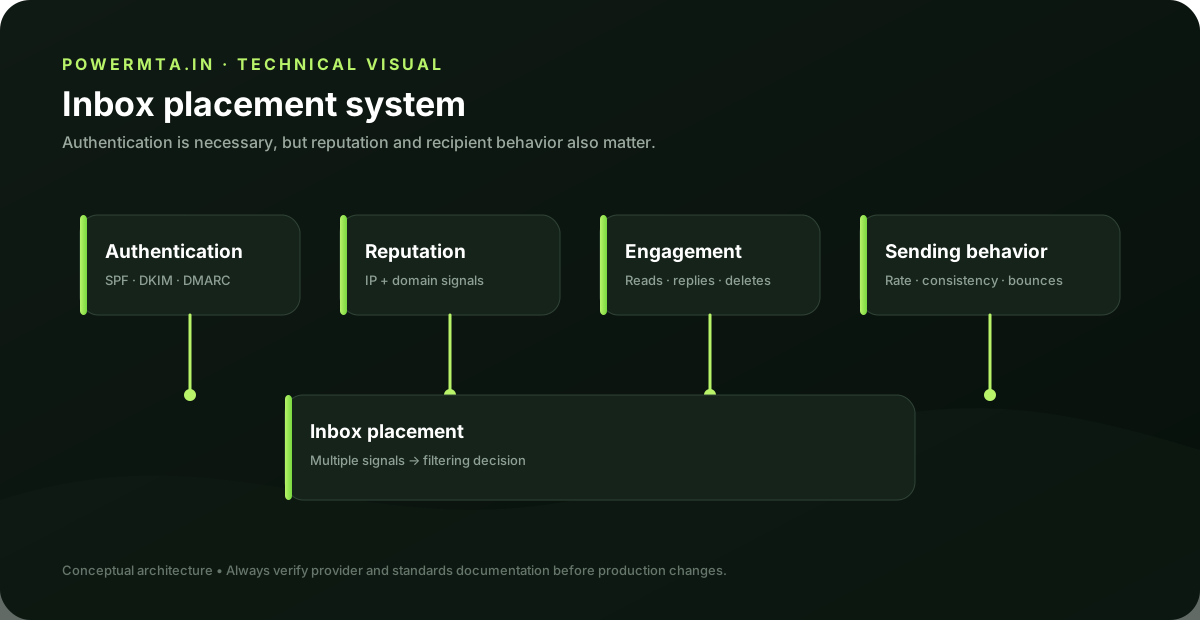
Inspect SPF, DKIM and DMARC results in the received message. Confirm the visible From domain and authenticated domains are intentional and aligned where required. A valid DNS record is not enough; the actual message must authenticate successfully. If a third-party sender was recently added, verify that its sending domain, return-path and DKIM configuration are included in the organization's sender inventory.
Check bounces and SMTP responses
Classify failures by response code, enhanced status code, destination provider and transaction stage. Temporary failures belong in a retry workflow; permanent recipient failures generally require suppression or correction. Look for patterns rather than isolated events. A single 550 response and a sudden increase in 550 responses across a provider are very different incidents.
Check sending behavior
Review changes in volume, recipient selection, campaign type, domain, IP, message construction and frequency. Sudden changes are important because receiving systems evaluate mail in context. If a problem appeared after a migration, compare the old and new paths. The goal is to identify the changed variable rather than to make a long list of unrelated adjustments.
Create an incident checklist
For every delivery incident, record the message ID, sending IP, envelope sender, From domain, DKIM selector, destination provider, SMTP response, timestamp and recent configuration changes. This creates a reusable evidence set for future troubleshooting. Good deliverability work is repeatable. A documented process is more valuable than a collection of one-off fixes.
Practical checklist
- Record the exact hostname, domain, IP address or SMTP response involved in the issue.
- Change one variable at a time and keep a short change log.
- Verify the result with a real test message and inspect the relevant DNS or SMTP evidence.
- Document the final configuration so the next migration or incident starts with known-good information.
Frequently asked questions
Is there one setting that guarantees successful delivery?
No. Email delivery depends on the complete sending path, including infrastructure, authentication, recipient policy, message handling and operational practices.
Should I change several settings at once when troubleshooting?
Usually no. Controlled changes make it easier to identify the cause and confirm whether the fix actually worked.