Email Authentication Troubleshooting: SPF, DKIM and DMARC Failures
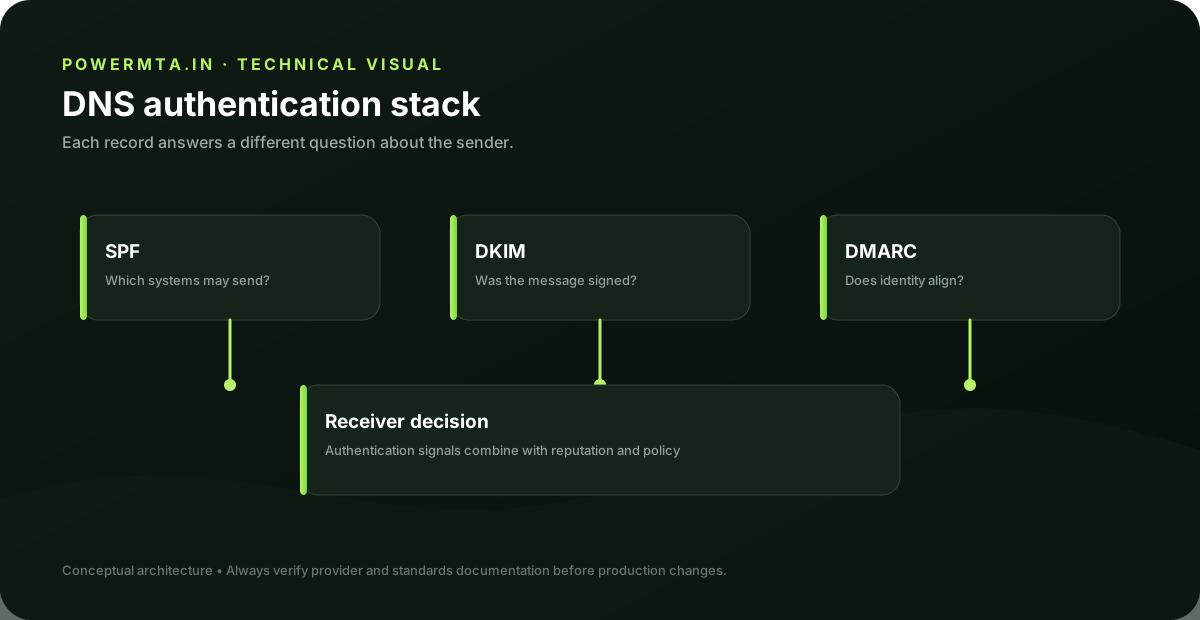
Read the message first
Authentication troubleshooting is most effective when you start with a real received message. The Authentication-Results header can show SPF, DKIM and DMARC outcomes and often identifies the domains that were evaluated. Do not begin by editing DNS blindly. First determine which sender produced the message and which domain appears in each authentication result.
SPF failures
For SPF, confirm the sending IP and the envelope-from domain. Then inspect the domain's SPF record and verify that the actual sender is authorized. If a new provider was added, make sure its documented sending mechanism is represented without creating unnecessary duplicate SPF records. SPF records should be maintained as an inventory of real senders. Remove obsolete services when safe and review the record when vendors change infrastructure.
DKIM failures
For DKIM, identify the selector from the message and look up the corresponding public key. A missing key, incorrect selector, malformed record or signature mismatch can cause verification to fail. If the DNS key exists but verification still fails, inspect whether the message was modified in transit and whether the sending system is signing the expected headers and body.
DMARC failures
DMARC combines authentication with domain alignment. Record the visible From domain and compare it with the SPF-authenticated domain and DKIM signing domain. If neither is aligned, DMARC can fail even when one of the underlying authentication mechanisms passed. Fix the identity relationship rather than simply changing the DMARC policy.
Third-party senders
Marketing, support, transactional and analytics platforms often send mail on behalf of the same organization. Maintain a sender inventory that records each platform's SPF mechanism, DKIM domain, return-path and From-domain behavior. This prevents a common failure mode in which a new vendor is connected without the organization's authentication design being updated.
Verification checklist
After every authentication change, send a controlled test and inspect the received headers. Confirm SPF, DKIM and DMARC independently, then confirm alignment. Keep a record of the selector, DNS change and test result so the configuration remains understandable to the next operator.
Practical checklist
- Record the exact hostname, domain, IP address or SMTP response involved in the issue.
- Change one variable at a time and keep a short change log.
- Verify the result with a real test message and inspect the relevant DNS or SMTP evidence.
- Document the final configuration so the next migration or incident starts with known-good information.
Frequently asked questions
Is there one setting that guarantees successful delivery?
No. Email delivery depends on the complete sending path, including infrastructure, authentication, recipient policy, message handling and operational practices.
Should I change several settings at once when troubleshooting?
Usually no. Controlled changes make it easier to identify the cause and confirm whether the fix actually worked.