SMTP vs Email API: Which Sending Method Should Your Application Use?
The basic difference
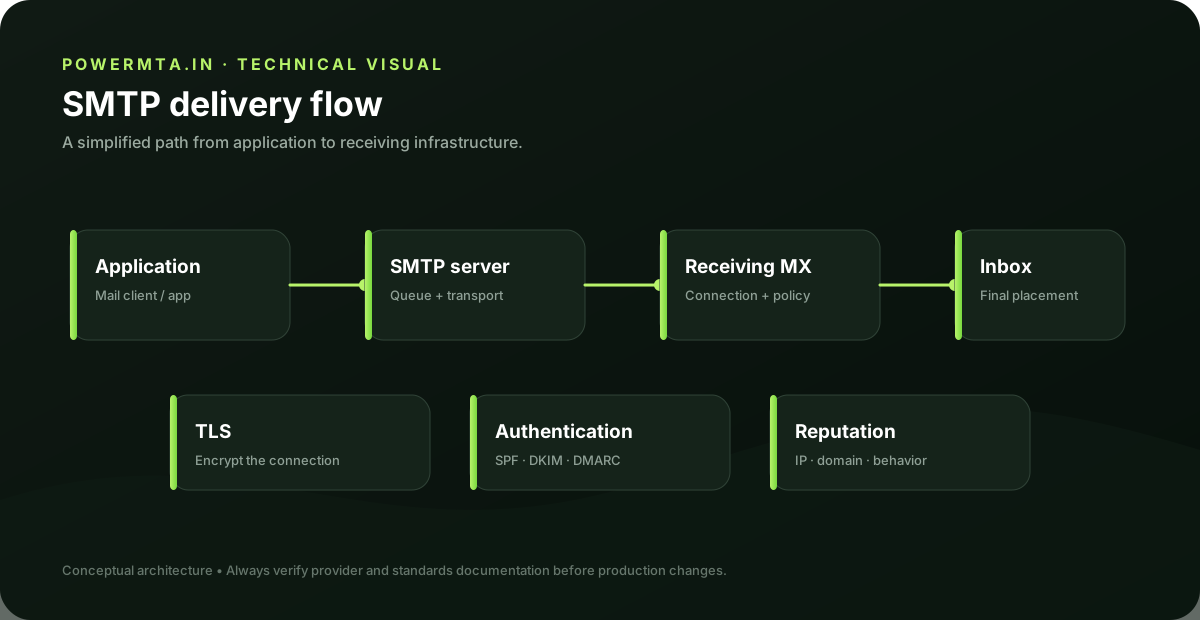
SMTP is a protocol for transferring and submitting email messages. An email API exposes application-specific HTTP endpoints through which software creates and sends messages. Both approaches can ultimately result in an email being delivered by an MTA, but the integration model is different. SMTP is attractive when an application already supports standard mail libraries or when several systems need a common relay. APIs can provide richer provider-specific features such as structured templates, event webhooks and delivery metadata. The correct choice depends on the application's requirements rather than on a claim that one protocol is universally better.
When SMTP is a good fit
SMTP works well when multiple applications need to send through one controlled relay. A central SMTP layer can handle queueing, connection management, routing and policy while applications remain relatively simple. It can also make migrations easier because applications keep using standard SMTP while the underlying relay changes. SMTP is especially useful for software that already has mature SMTP support. Instead of rewriting the sending layer, the application can be pointed at a new submission service and tested with the same message flow.
When an API is a good fit
An API can be useful when the application needs provider-specific features or tight integration with delivery events. HTTP requests can carry structured data, template variables and metadata, while webhooks can return events to the application. The trade-off is coupling. An API integration is usually more specific to the provider's interface. If the provider changes its API or pricing model, migration may require application changes. A well-designed abstraction layer can reduce that dependency.
Reliability and retries
Neither SMTP nor an API automatically guarantees reliable delivery. The application still needs sensible retry behavior and an understanding of temporary versus permanent failures. With SMTP, the relay normally owns the delivery queue after successful submission. With an API, the provider owns its downstream queue, while the application must handle HTTP failures, timeouts and provider responses. Do not blindly retry every failure. A timeout may mean the request was accepted even though the client did not receive the response. Idempotency, message identifiers and provider event logs are important when building robust sending workflows.
Observability
SMTP systems expose useful evidence through connection logs, queue state, response codes and message identifiers. APIs often expose request IDs, event streams and dashboards. Whichever method you choose, retain enough information to trace a message from application submission to the provider or relay. A good architecture stores an internal message or job identifier and correlates it with the SMTP queue ID or API request/event identifier. This turns “the email did not arrive” into a traceable operational question.
Decision checklist
Choose SMTP when you want a standard relay interface, centralized routing or broad application compatibility. Choose an API when you need provider-specific features, structured templates or event-driven integration. For larger systems, it can be reasonable to support both behind an internal mail abstraction so individual applications do not depend directly on one transport. The most important design decision is not the transport alone. Define who owns authentication, queueing, retries, suppression, logging and deliverability monitoring before production.
Practical checklist
- Record the exact hostname, domain, IP address or SMTP response involved in the issue.
- Change one variable at a time and keep a short change log.
- Verify the result with a real test message and inspect the relevant DNS or SMTP evidence.
- Document the final configuration so the next migration or incident starts with known-good information.
Frequently asked questions
Is there one setting that guarantees successful delivery?
No. Email delivery depends on the complete sending path, including infrastructure, authentication, recipient policy, message handling and operational practices.
Should I change several settings at once when troubleshooting?
Usually no. Controlled changes make it easier to identify the cause and confirm whether the fix actually worked.